SMBAct on KDE Plasma (Wayland)
On KDE Plasma 6 under Wayland there is nothing to install and no need to log in again. Screenshots: Ubuntu 26.04.1 with KDE Plasma 6.6.6, SMBAct 2.0.0 (English interface).
On GNOME SMBAct needs its GNOME Shell extension — see SMBAct on Ubuntu GNOME (Wayland).
Open source: SMBAct’s KWin script is GPL-2.0-or-later. Source code and issues on GitHub: GigLaboCom/smbact-shell.
Why it needs the desktop’s help
Under Wayland an application cannot see other applications’ windows and cannot catch hotkeys while another app is focused. So SMBAct brings a small KWin script: with it SMBAct sees and arranges every window. Its source code is open: github.com/GigLaboCom/smbact-shell. In an X11 session the script is not needed.
Nothing to set up
At start SMBAct loads its script into KWin by itself and unloads it when it quits. There is no installation and no log-out, and the script does not show up in Plasma’s settings.
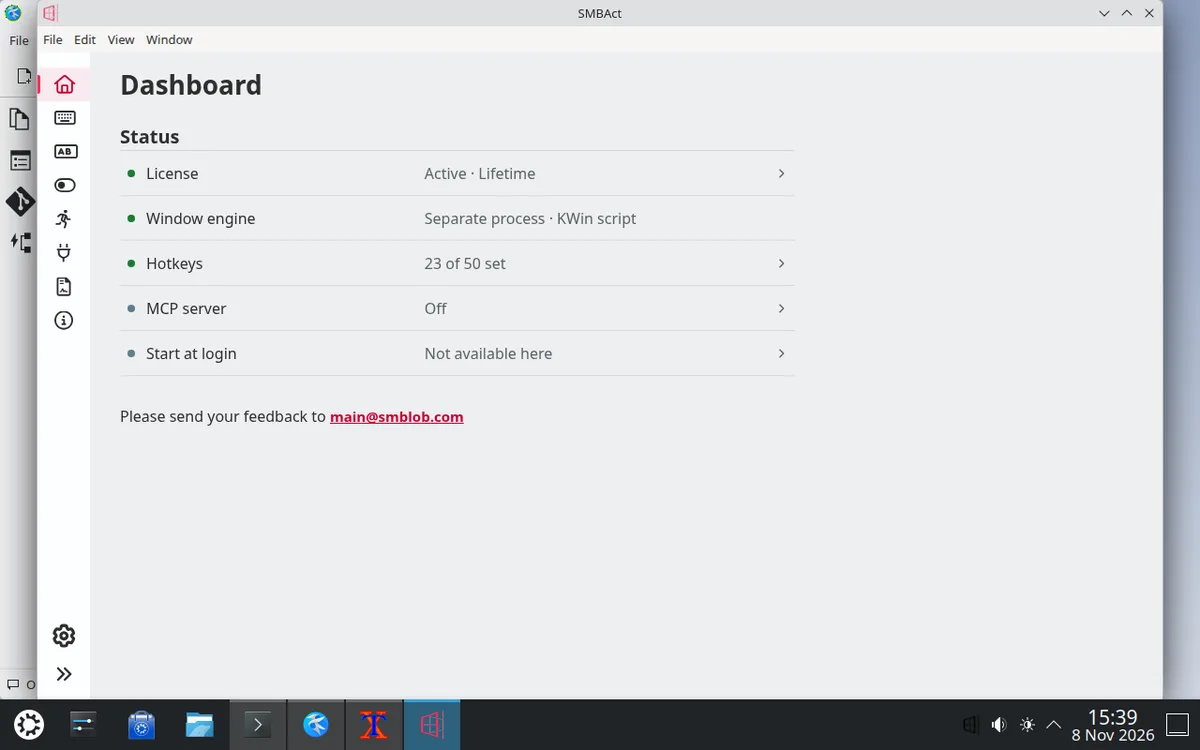
The dashboard’s Window engine line reads “Separate process · KWin script”, and there is no banner.
Switcher and window actions
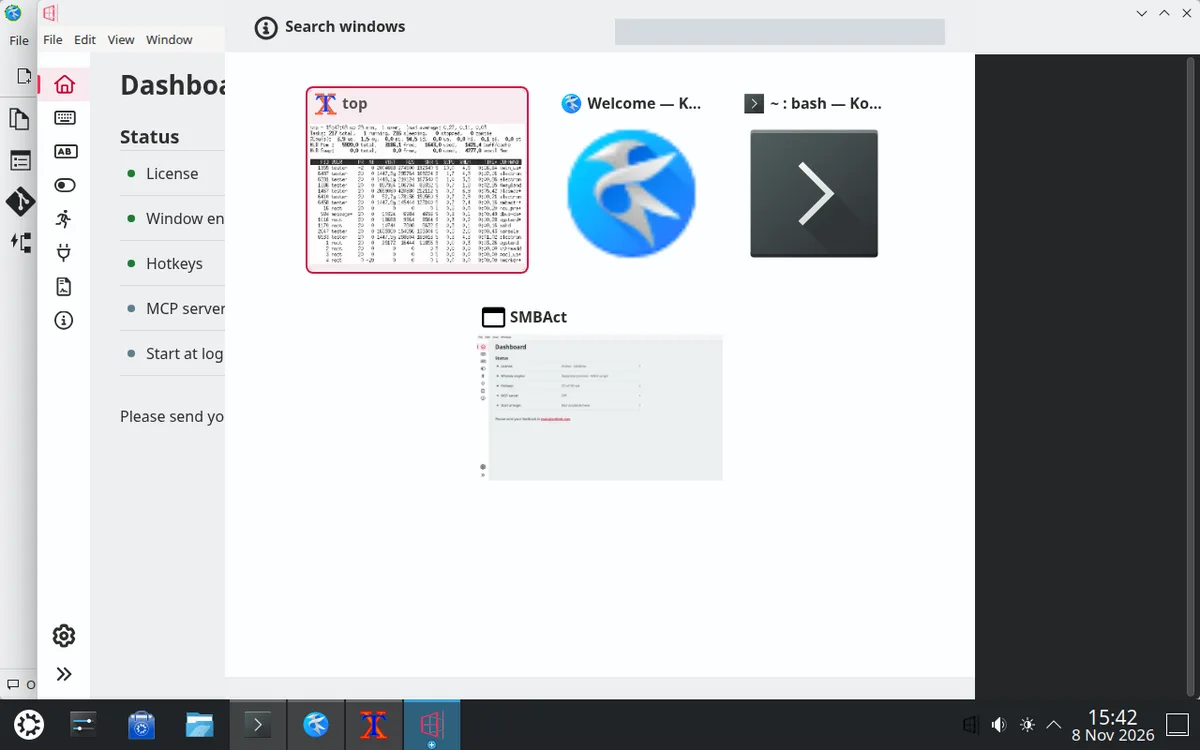
The switcher (Ctrl + Alt + X) opens whatever window is focused — here Konsole, a native Wayland app — and shows all windows. X11 windows are shown with previews; Wayland windows (Kate, Konsole) are shown with their icons for now, because KWin gives window snapshots only to authorised applications. That is the next step.
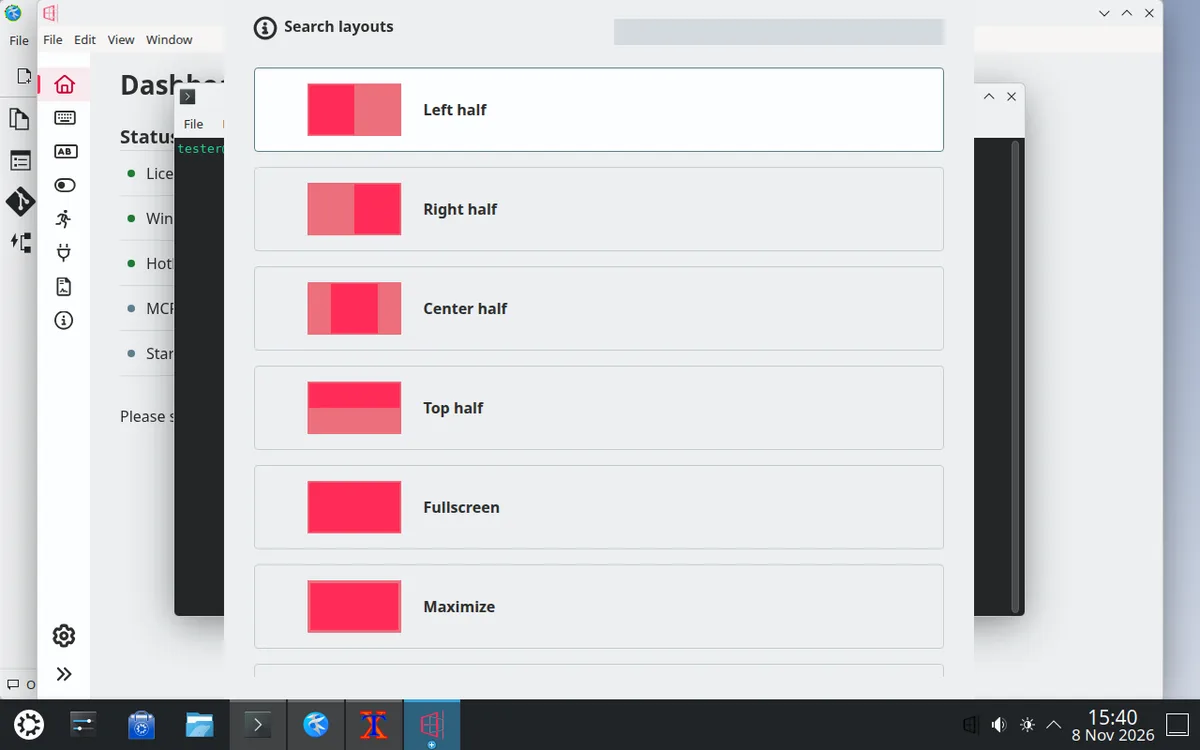
The actions popup (Ctrl + Alt + Z) appears centred on the window the action will apply to.
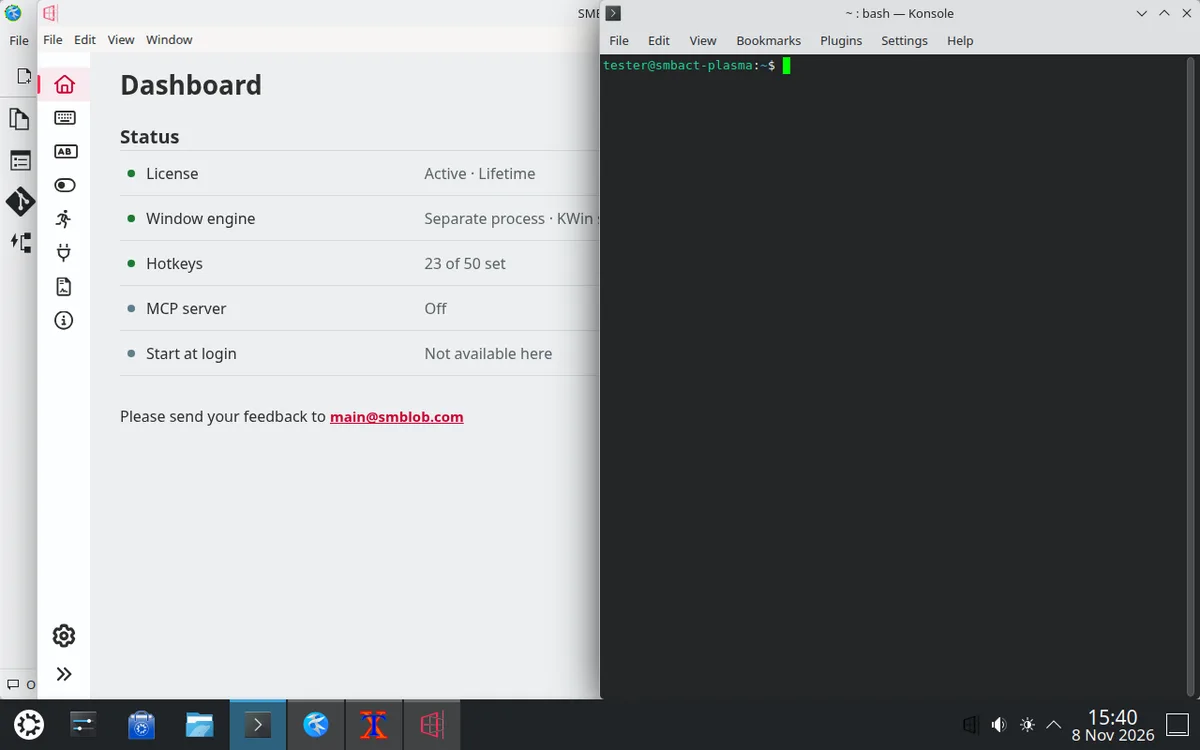
↓ and Enter picked “Right half”: Konsole moved to the right half of the screen. SMBAct takes the Plasma panel into account by itself.
When Plasma already uses a hotkey
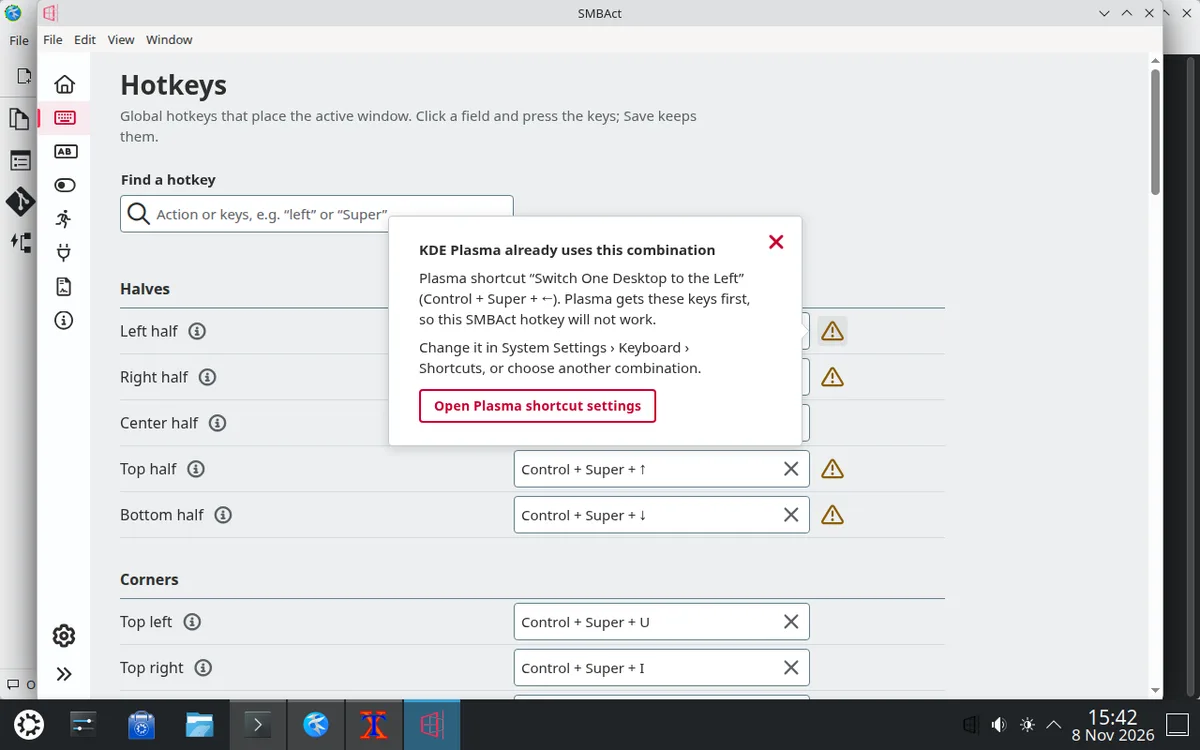
Plasma keeps its own shortcuts for itself. In Plasma 6, Ctrl + Super + arrows switch virtual desktops — and these are SMBAct’s default hotkeys for the halves. SMBAct marks such fields with a warning: the explanation names the Plasma shortcut that is in the way, and a button opens Plasma’s shortcut settings. Change the shortcut there (System Settings › Keyboard › Shortcuts) or choose another combination for SMBAct.
Good to know
- SMBAct hotkeys work whatever window is focused thanks to Plasma’s Legacy X11 App Support setting in System Settings (by default it lets shortcuts through to X11 apps). If you forbid it completely, hotkeys fire only while an X11 app is focused.
- If an SMBAct hotkey matches a Plasma shortcut, Plasma keeps it, and SMBAct marks the field with a warning.
Other platform guides
- SMBAct desktop plugins on GitHub — source code and issues of the GNOME Shell extension and the KWin script.
- Install SMBAct on macOS — the dmg, the first open and the Accessibility and Screen Recording permissions.
- SMBAct on Ubuntu GNOME (Wayland) — installing and updating the GNOME Shell extension.
- Install SMBAct on Windows — getting past the Edge download warning and SmartScreen.
- Download SMBAct · Documentation · Control windows with keyboard
